
How do I find an event?
There are several ways to find one of the many events on the Ticketek website:
- Home Page
- Browse by genre by clicking on the tabs near the top of the Home Page
- When you see an event that interests you, click the image or title to visit the event page
- Search
- Type in a keyword (artist or event name, team, venue etc) in the search field and hit Enter
- Click on the event image or the "Find tickets" button to visit the event page
- My Ticketek
- Make sure you Sign In or Register with My Ticketek and opt-in to receive weekly newsletters and emails
- Keep your subscription preferences up to date so we only send you information about the events important to you
- Social Media
- Like Ticketek New Zealand on Facebook and join our growing community of live event fans
- Be the first to know about the latest events by following Ticketek New Zealand on Twitter.
How do I buy tickets?
- Sign in to MyTicketek
Make your ticket buying experience easy by registering with MyTicketek, then signing in each time you visit the website. You will need to be signed in to make a purchase tickets online, so sign up to MyTicketek and reap the extra benefits membership brings... it's FREE!
- Find Your Event
- Select Your Tickets
- Select your preferred location, date, and performance time from the left hand side of the event page and click "Find Tickets"
- View the range of price categories and prices to help you decide which best suits your needs
- Best Available/Any Price: This is the default selection and lets the website choose the tickets which are currently the best available in any price category. Note that as the website is looking across all price categories, the exact ticket prices can't be shown until you have also selected your quantity and delivery method
- Price Category: Select a price category from the drop down if you want to purchase tickets within a specific location of the venue. The website will still select the best available within the section you have chosen. You can only select on price category at this stage. If you want to buy tickets in more than one price category continue through the purchase process and come back to select more tickets before you make your payment
- Price Type: Select your preference from the various ticket types on offer (e.g. Adult, Concession, Family)
- Quantity: Select the quantity of tickets you'd like to purchase. Some events have more than one price type. You can select a quantity of tickets in more than one price type (e.g Adult and Child). Some events, however, may have a ticket limit applied; you would have been informed of this on the event page
- Delivery Options: Each event will have different delivery options, however where available, we recommend choosing ezyTicket™ or Ticketek Mobile Ticket. Choose the best delivery option that suits you
- Captcha: On occasion you will also be asked to complete the Ticketek safeguard ("Captcha"). This is an extra security feature giving you the fairest access to tickets by helping us prevent automated and unethical ticket selection and purchase activity
- Make sure your selections are correct and then hit the Next button
- We'll now show you the tickets which have been allocated to you based on your selections
- If the event has seat-selection enabled, you can now use the map to change your seats. Note that any seat changes are based on availability at the time of purchase.
- If the tickets allocated are for seats with a restricted view, you will need to check the box to acknowledge this. Restricted view refers to those seats which may have restricted viewing of the stage or event due to obstructions. The obstruction varies in different venues.
- When you're happy your selection is correct, click the :Go to checkout" button
- If you're not signed in already, you'll be asked to sign in (or register) now
- Complete Ticket Purchase
- Select an option for ticket insurance
- Check your booking details on the right hand side of the payment page
- Check / enter your billing / delivery address
- Select an option for opt-ins for venue and event organiser updates
- Select your payment method and enter your payment details. By continuing to payment, you are agreeing to Ticketek's Terms and Conditions and accepting the terms of Privacy Policy.
- To complete your ticket purchase click on the "Submit payment" button.
Important Note: If your order is not completed in 10 minutes, the tickets will be released back for sale. If you leave the Payment Form during your transaction, your tickets may automatically be returned to general sale if you do not go back and complete your purchase before the end of this 10 minute period.
- Ticket Confirmation
After successfully completing your purchase, you will be presented with a ticket confirmation page and an email will be sent to your registered email address confirming the details of your transaction. Please note that the the confirmation email is not your tickets, the tickets you purchased will be delivered to you by the delivery method chosen during the purchase process. However, if you chose ezyTicket™, this will be attached to your confirmation email in PDF format. Print this PDF as this will be your access to the event.
If you experience any difficulties purchasing tickets online which are not answered in these FAQs, please contact us.
Can I buy tickets if I am based overseas?
Yes, anyone can become a MyTicketek member and buy tickets no matter which country you are located in. Please note the MyTicketek member must be the credit/debit card holder when booking tickets online.
When booking from overseas, or if travelling New Zealand without a fixed local address, we recommend you choose either of the delivery options below when they are available:
- ezyTicket™ - your ticket is emailed to you in PDF format
- Venue/City Box Office - collect tickets when you arrive in New Zealand
Unfortunately we are not able to post tickets to international addresses.
Can I choose a specific seat?
When you book online, if an event has seat-selection enabled, you can use the map on the ticket confirmation page to change your seats. Note that any seat changes are based on availability at the time of purchase. If an event doesn't have seat-selection enabled, you cannot choose the location of your seat. We sell tickets on a "next best available" seating system. This means that for each event, tickets become available in order of best seating according to the promoter.
When you make your booking, the tickets allocated to you are the best available in your chosen category at that time.
Please be advised that we act as a ticket-selling agent on behalf of venues and promoters. We have little or no involvement with decisions regarding price. All seats are sold in good faith and in accordance with direction from the event promoter.
Will better seats be available later?
On some occasions seats are released closer to the event. Promoters sometimes request that a number of tickets be held for promotional purposes. These tickets are released when not required by the promoter and generally given to us to sell to the public. We are the ticketing sales agent selling on behalf of promoters and according to their instructions. There are no guarantees.
What is a presale?
Pre-sales are an opportunity to secure tickets prior to the general public on sale. Presales are not a preferential seating service and buying during a presale does not guarantee getting better seats. The selection of seating made available to purchase during a pre-sale is at the discretion of the event organiser.
Access to a pre-sale may be offered via invitation from the promoter, sponsor or via a promoter/artist page or other associated parties and may require a password or access via a link to purchase.
Pre-sales can be a limited release, for a short period of time and may sell very quickly. Invitation and access to a pre-sale is not a guarantee of a securing a ticket.
It's important to remember that we do not offer exchanges or refunds if you book during the pre-sale and then find other tickets in another release you would have preferred. So please make sure you're happy with the seats before going ahead and booking them.
Can I buy tickets to multiple events?
To purchase more than one set of tickets to multiple events, click on the "Add tickets" button on the payment page. You will then be able to add more tickets to your shopping basket and pay for all tickets at once. In some cases, you will only be able to purchase one set of tickets to a popular event to ensure equitable distribution of tickets to the general public.
Why is there a time limit when I buy tickets?
For popular events a time limit of 8 minutes is given for all people accessing the website. Once people leave the site, more people gain entry. This ensures fair access for customers to buy tickets.
Once you have selected your ticket(s), there is a time limit of 8 minutes for you to pay for them. After this time they are released for general sale.
If your session time expires, you will receive a notification and will be required to access the site again.
I'm seeing a busy page on the website, what does that mean?
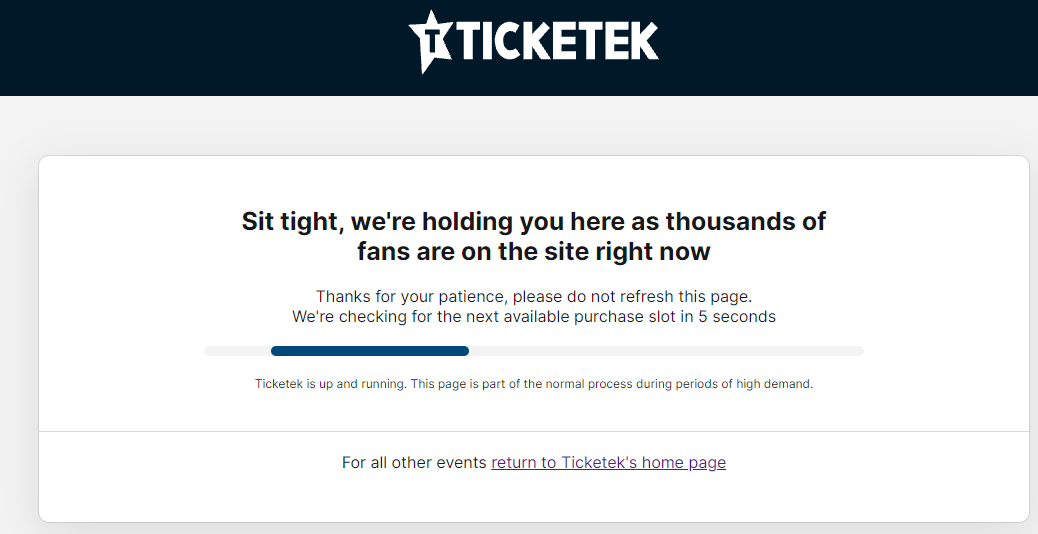
If you are seeing a busy page, a popular event has gone on sale. Please stay in the queue and do not refresh the browser. Other fans are transacting right now. You will be redirected when a new purchase session opens.
What are the terms of concession tickets?
If you are purchasing a concession ticket please have your student or pensioner ID card ready, as you will be required to enter your concession ID in some cases. When attending the event ensure you can present your card on request. Please note that the sale of concession tickets through any of Ticketek's sales channels may be restricted by the promoter of the event.
What are the terms of general admission (GA) tickets?
General Admission (GA) is the term used to describe a venue where there is no reserved seating for patrons. As a result, there are strict operating procedures which are adhered to in order to ensure security and crowd control of the event. Tickets purchased to General Admission events may not be refunded should they be lost.
What do "Unable to obtain the tickets you requested" or "Allocation Exhausted" mean?
When the ticketing system is unable to locate a sufficient number of available tickets, you will receive the following message:
"Unable to obtain the tickets you requested. Other customers may be in the process of completing their transaction on all remaining tickets, or the number of tickets requested is greater than the maximum available adjacent seats. Please try again, or try reducing the number of tickets you have selected. When tickets are no longer available the event will be displayed as Allocation Exhausted."
This message is displayed when there is either an inadequate number of tickets to fulfil your request for adjacent seats (e.g. you have requested 4 tickets yet there are no more than 3 seats next to each other in the venue) or all the tickets that were available have been selected by customers ahead of you and they are in the process of completing their transaction.
An event is displayed as "Allocation Exhausted" when all transactions for Ticketek's entire available tickets have been completed. However, if a customer does not complete their transaction, tickets are then released back and become available for another customer to select. This is why on occasion, "Allocation Exhausted" can be seen yet shortly after the event is back on sale.